KP Color Match

A memory game you can hear.

Listen, then play it back.

Get KP Color Match on the App Store On the App Store · Version 4.0 coming soon
  • 4 colors, each with its own tone
  • 12 languages, every step spoken
  • 2 minute tour, learned by playing
  • 0 accounts, ads or tracking

Screenshots
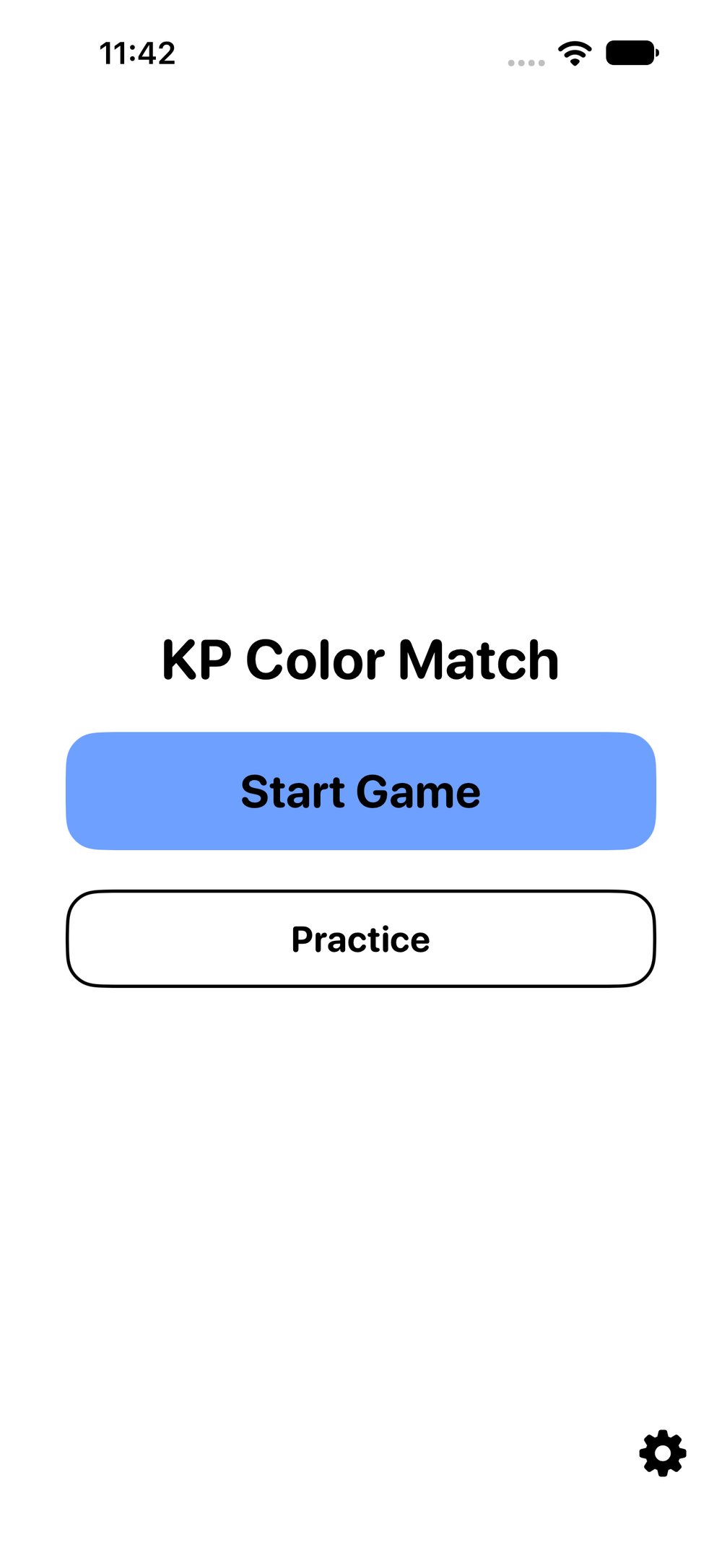
KP Color Match's start screen on iPhone, light mode: the title KP Color Match in the middle, a blue Start Game button under it, a white Practice button with a black outline below that, and a settings gear in the bottom right corner., open full size
Fig. 1 Start a game, or practise with no game over.
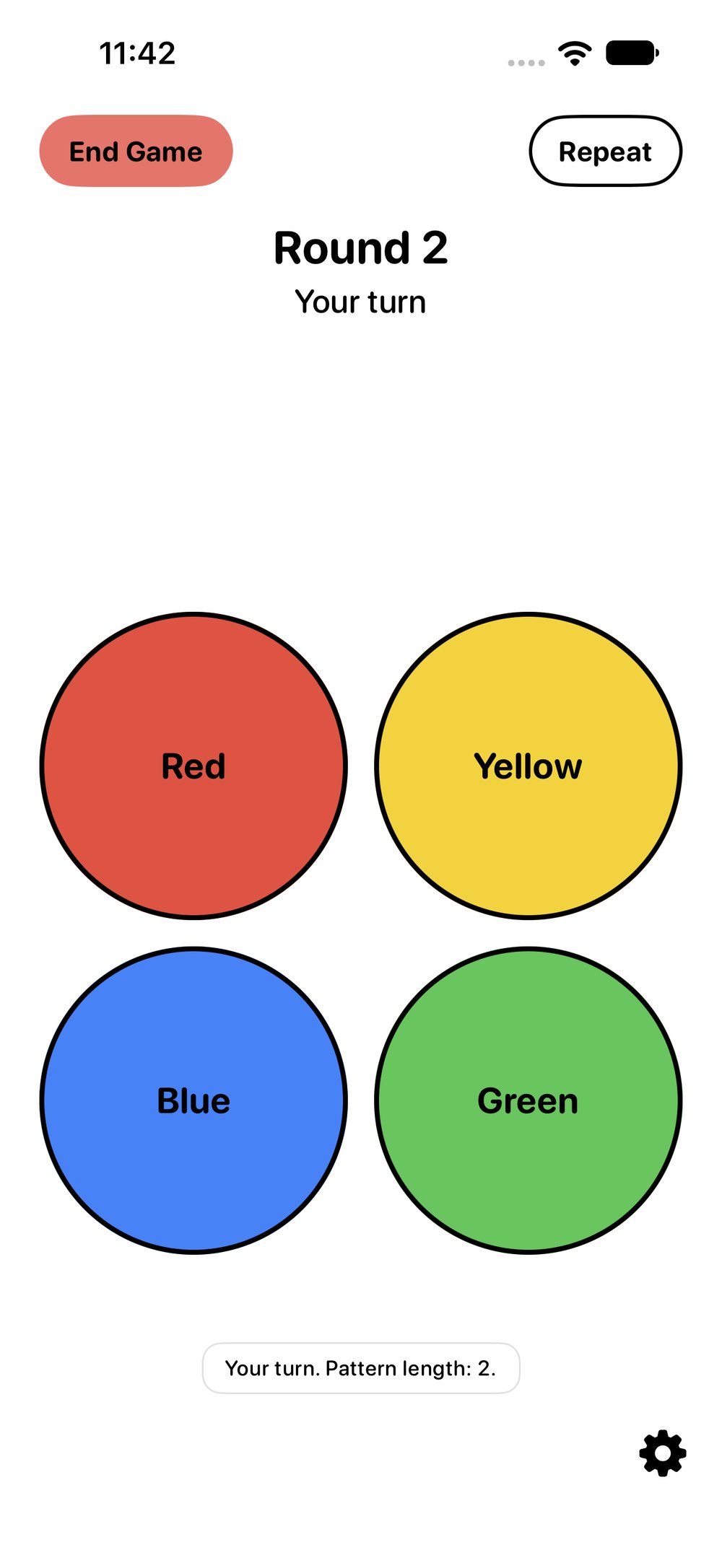
The board on iPhone, light mode: round 2, your turn. Four large circles, each with its name written on it: red top left, yellow top right, blue bottom left, green bottom right. An End Game button top left, a Repeat button top right, and the caption Your turn. Pattern length: 2., open full size
Fig. 2 Four colors, four tones. Listen, then play the pattern back.
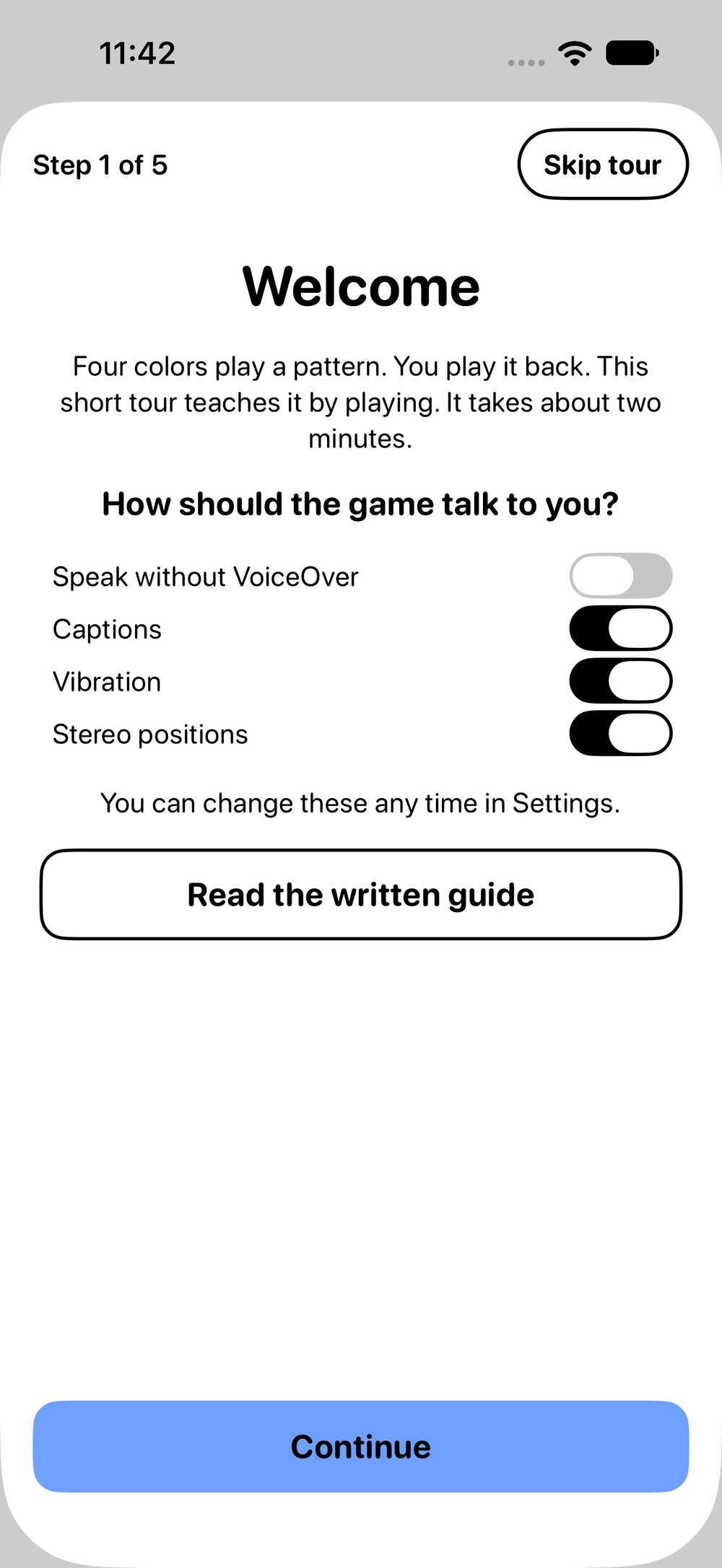
The welcome tour on iPhone, step 1 of 5, with a Skip tour button. Welcome: four colors play a pattern, you play it back; the tour takes about two minutes. Under How should the game talk to you? are four switches: Speak without VoiceOver off, Captions on, Vibration on, Stereo positions on. Below are Read the written guide and a blue Continue button., open full size
Fig. 3 A two-minute tour that teaches the game by playing it.
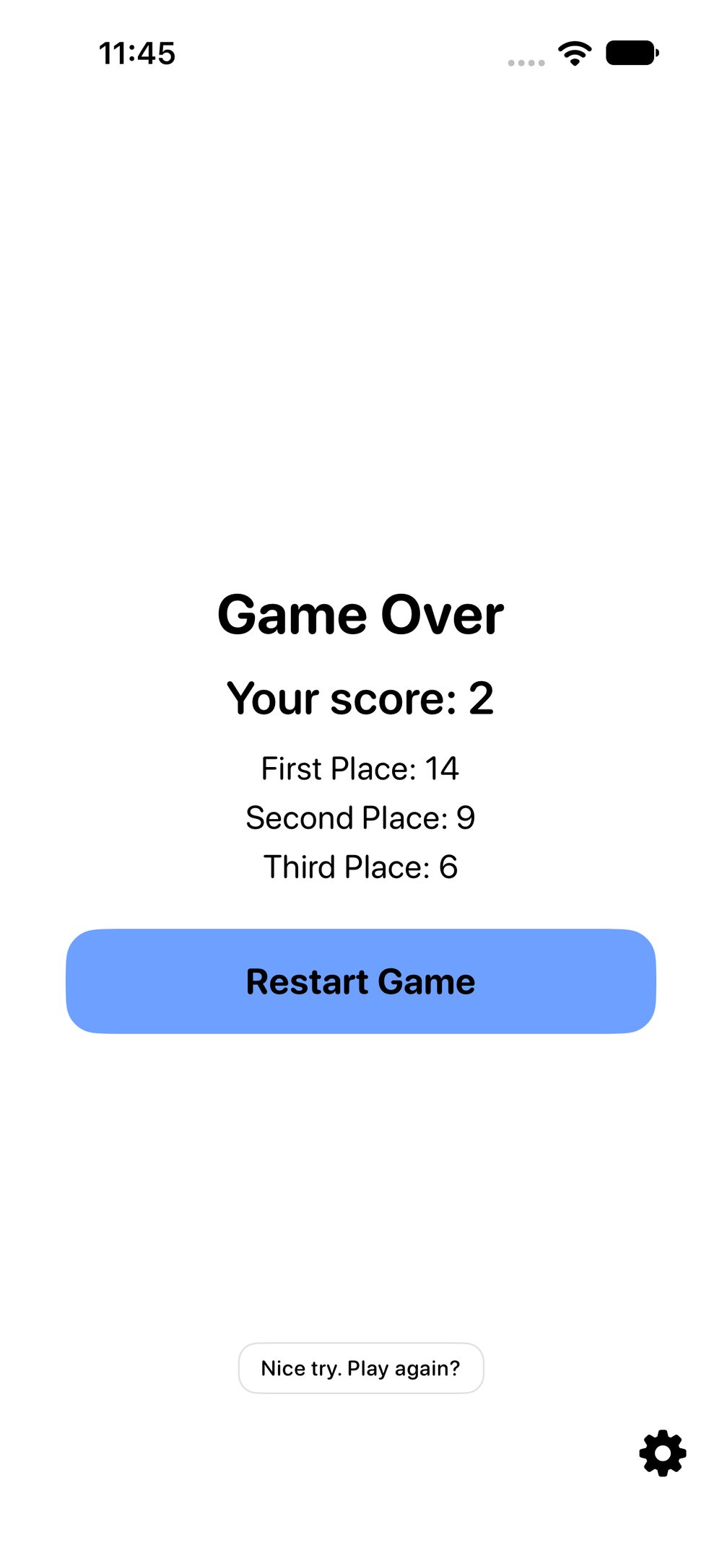
The game over screen on iPhone: Game Over, Your score: 2, then the three best scores, First Place 14, Second Place 9, Third Place 6, a blue Restart Game button, and the caption Nice try. Play again?, open full size
Fig. 4 Your three best scores stay on your device.
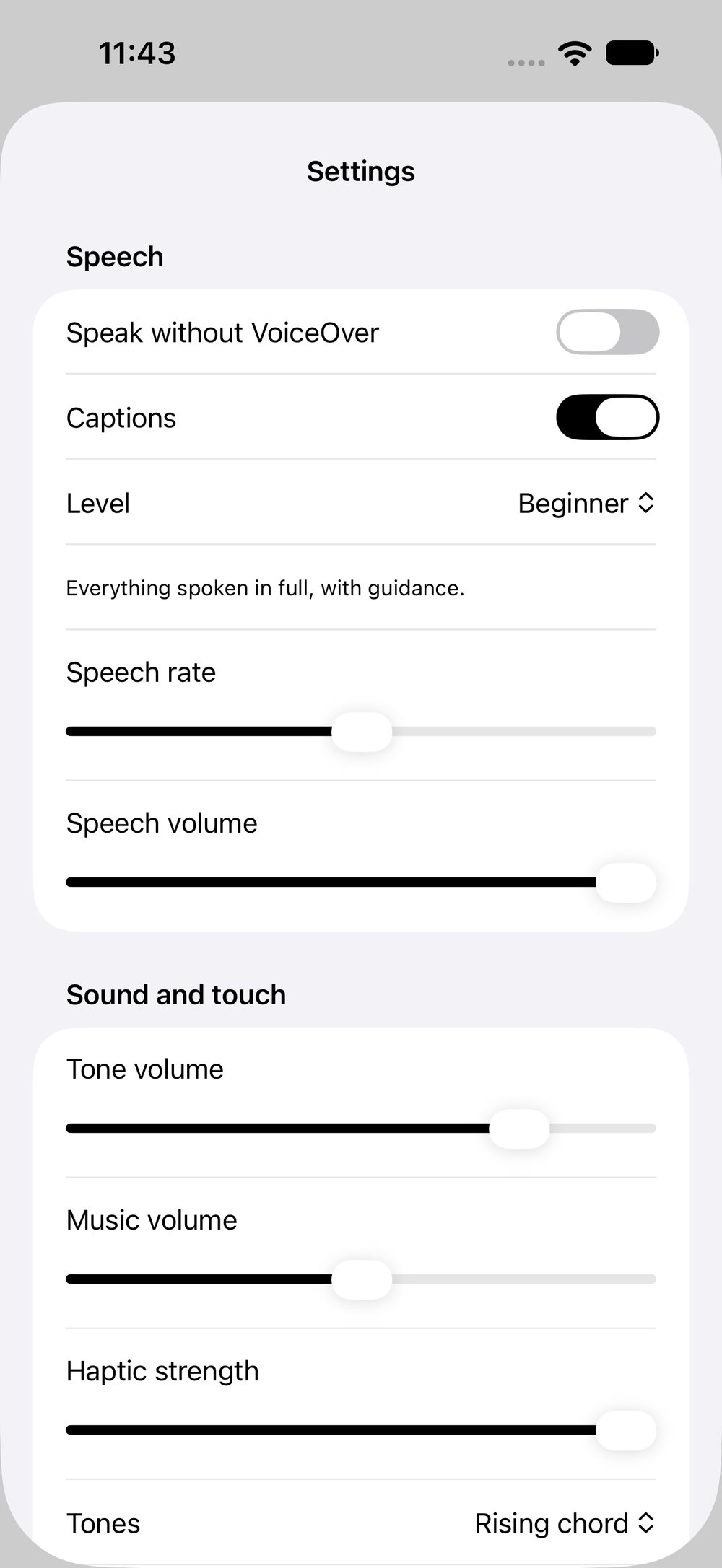
Settings on iPhone. Under Speech: Speak without VoiceOver off, Captions on, Level set to Beginner, everything spoken in full, with guidance, and sliders for speech rate and speech volume. Under Sound and touch: sliders for tone volume, music volume and haptic strength, and Tones set to Rising chord., open full size
Fig. 5 Speed, speech, tones, music and haptics, your way.
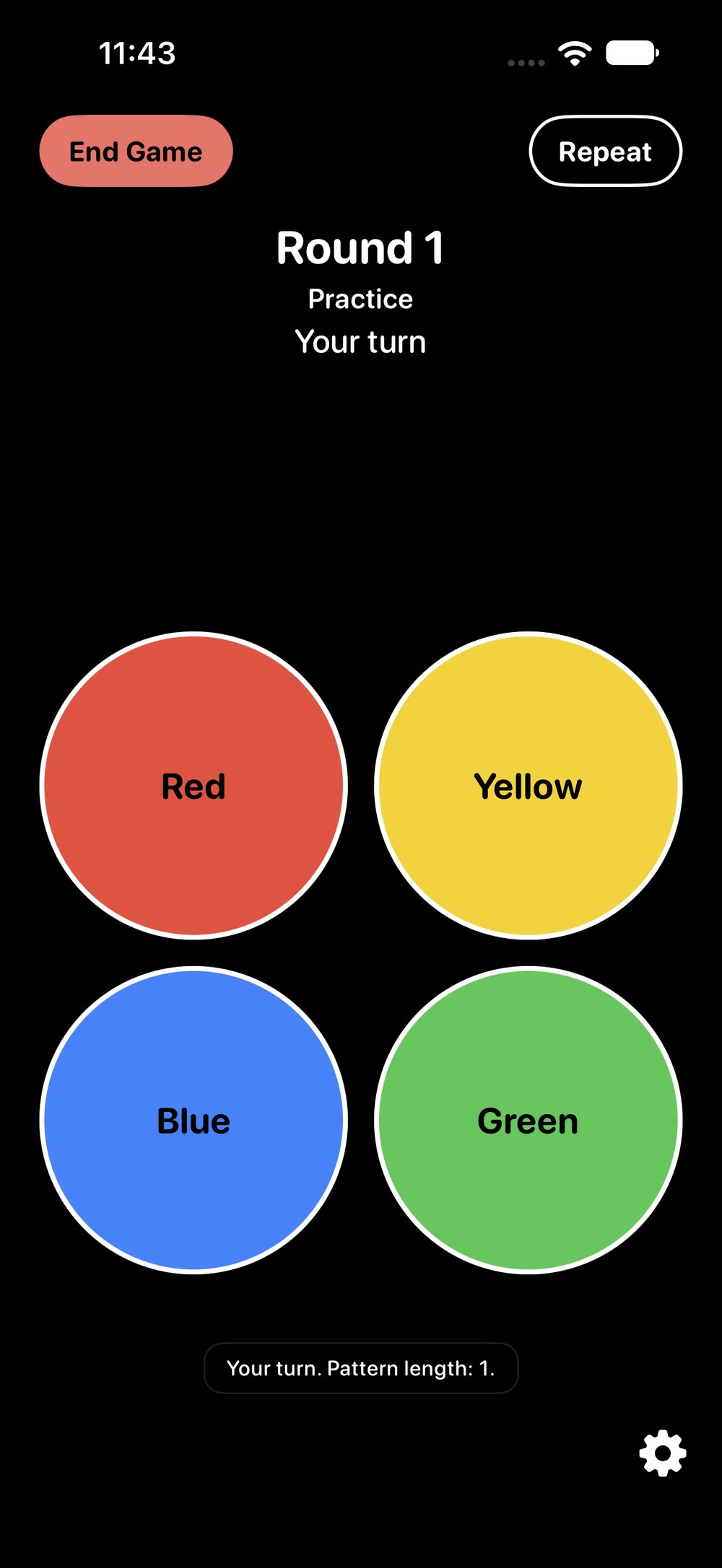
Practice mode in Dark Mode on iPhone: a black screen, round 1, Practice, your turn. The same four circles outlined in white, red top left, yellow top right, blue bottom left, green bottom right, with End Game and Repeat at the top and the caption Your turn. Pattern length: 1., open full size
Fig. 6 Practice mode, in Dark Mode.
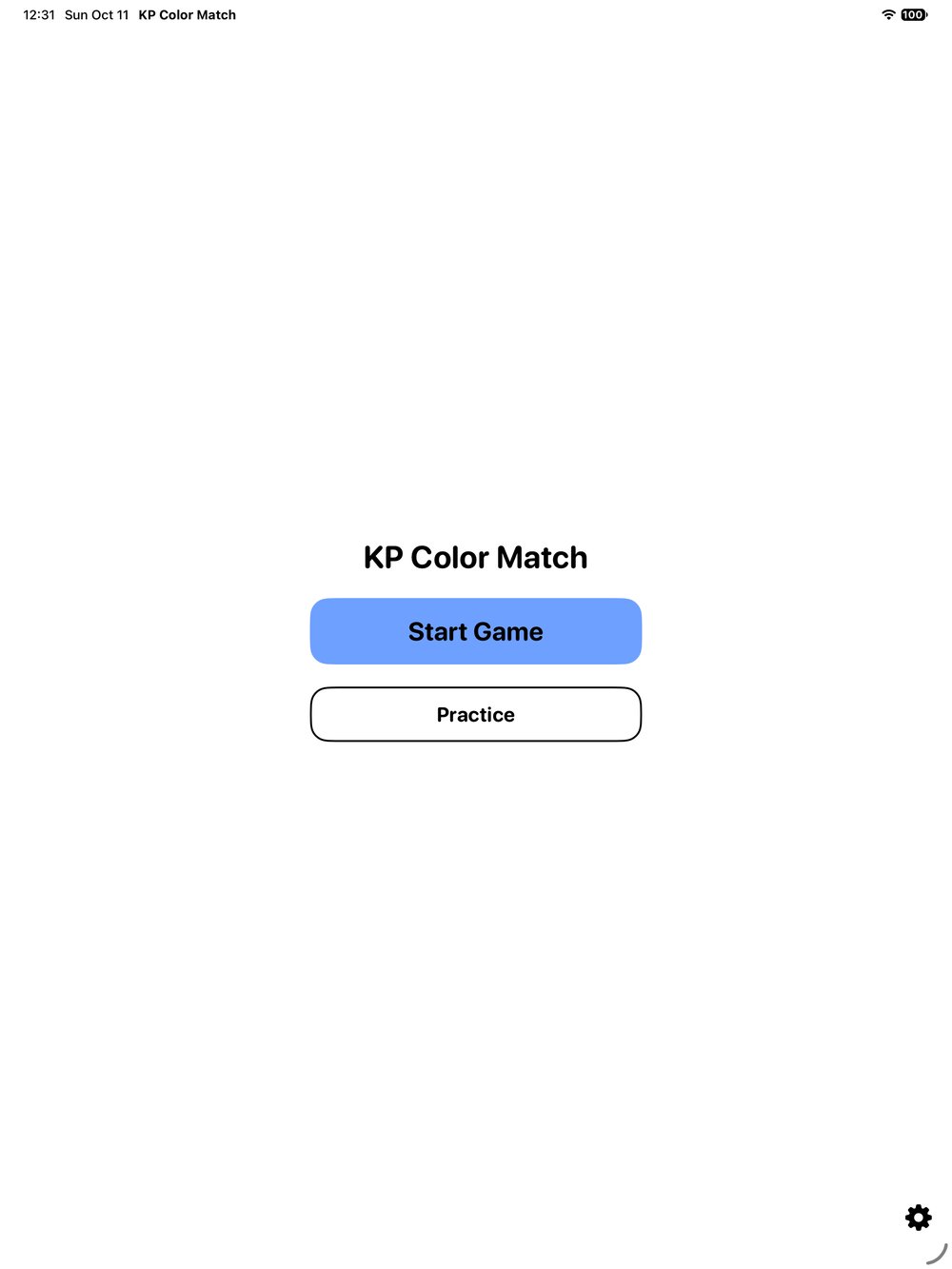
KP Color Match's start screen on iPad, light mode: the title, a blue Start Game button and a white Practice button, with a settings gear in the bottom right corner., open full size
Fig. 7 On iPad: the start screen.
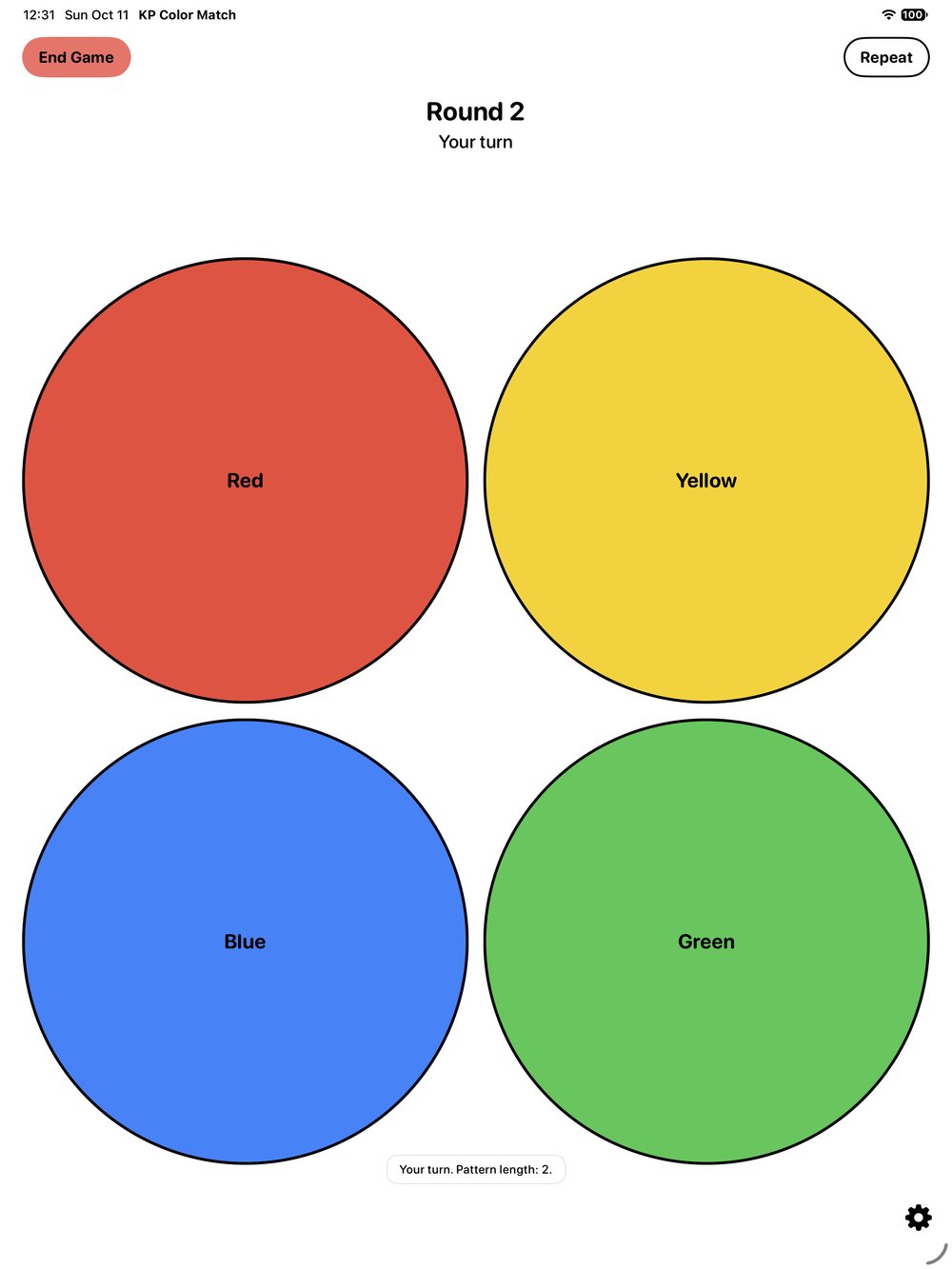
The board on iPad, light mode: round 2, your turn. Four large circles fill the screen: red top left, yellow top right, blue bottom left, green bottom right, each with its name on it. End Game top left, Repeat top right, and the caption Your turn. Pattern length: 2., open full size
Fig. 8 On iPad: the board.
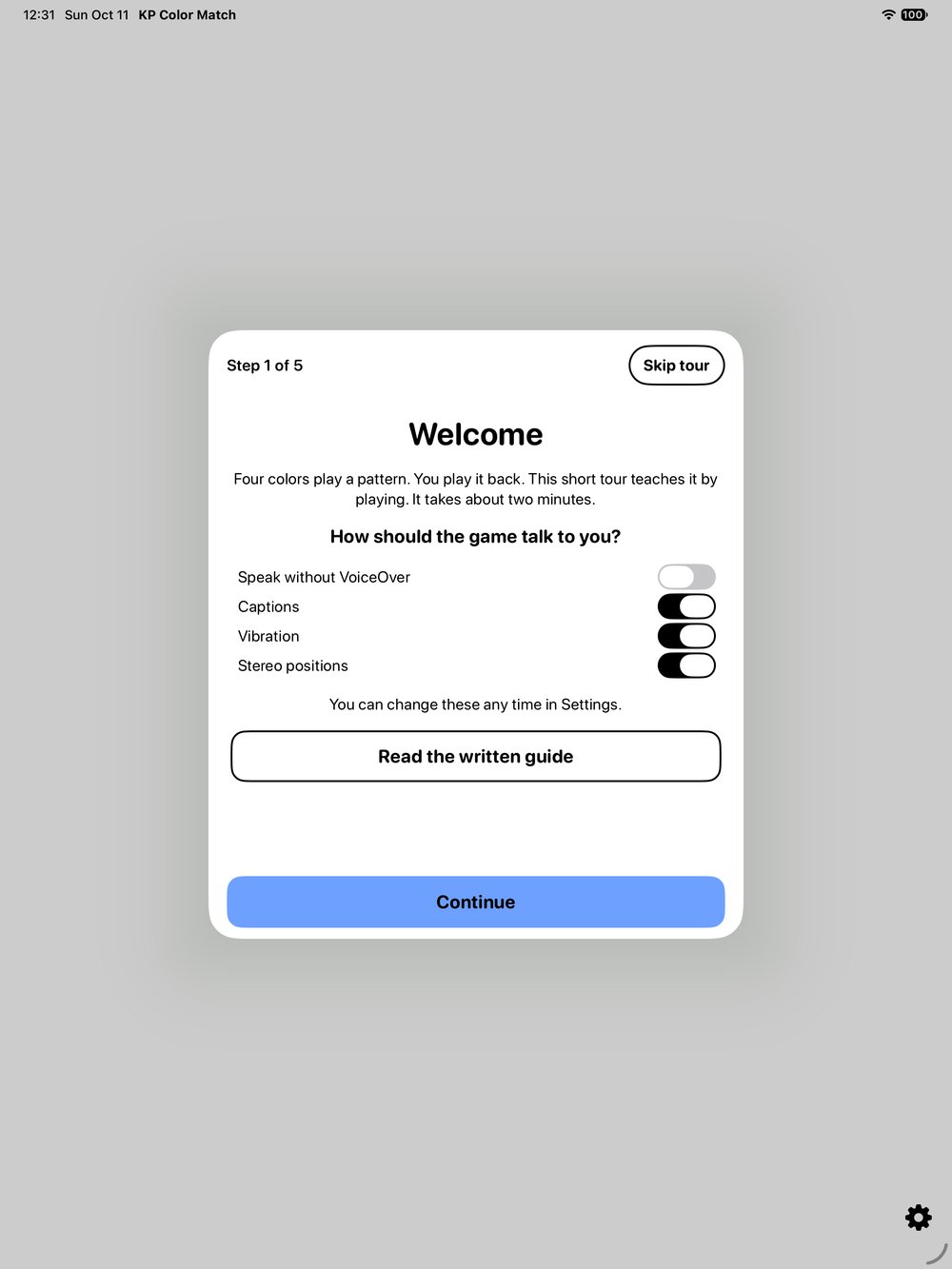
The welcome tour on iPad, step 1 of 5, in a card in the middle of a grey screen: Welcome, the four switches for Speak without VoiceOver, Captions, Vibration and Stereo positions, Read the written guide and a blue Continue button., open full size
Fig. 9 On iPad: the welcome tour.
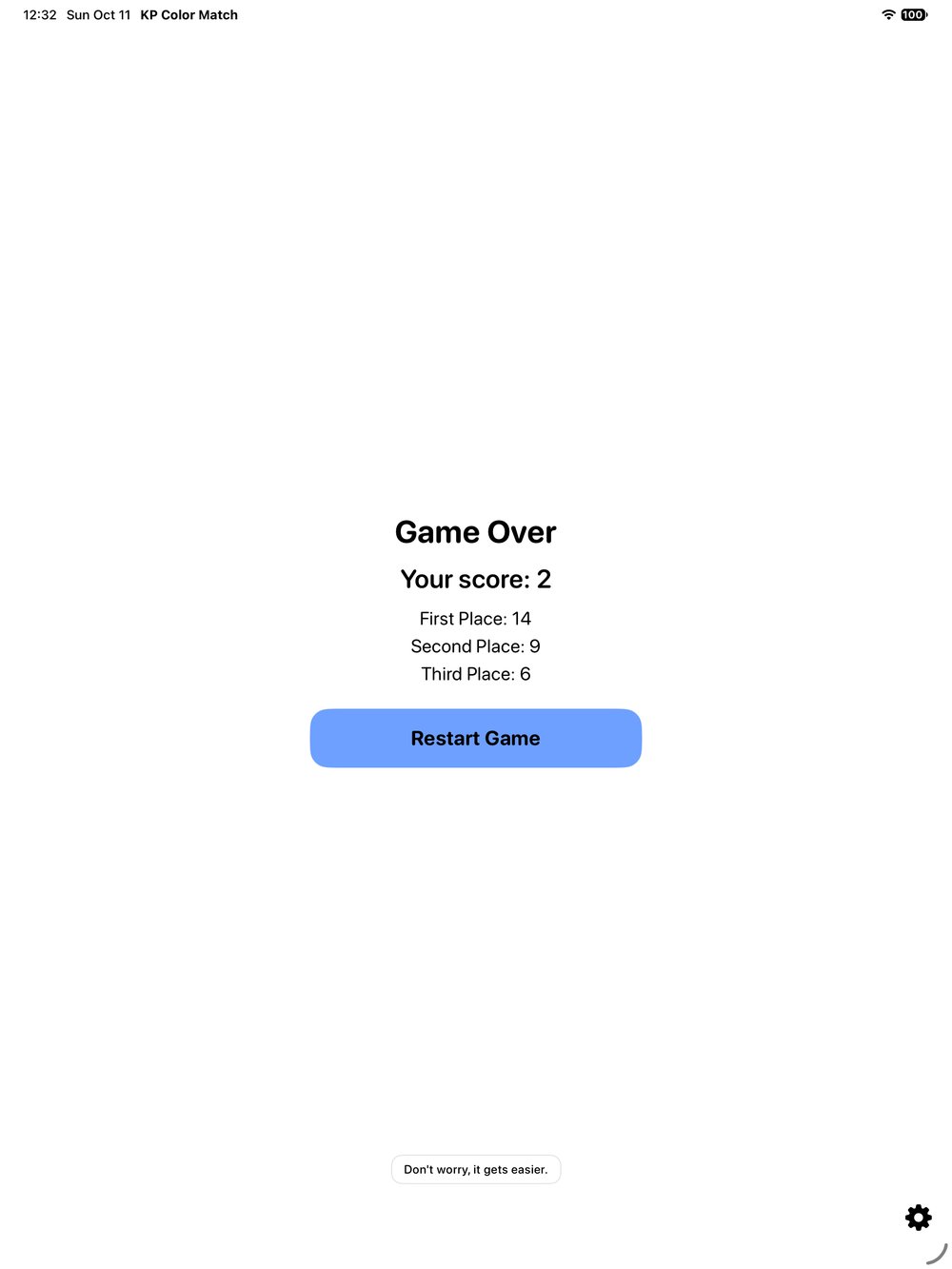
The game over screen on iPad: Game Over, Your score: 2, First Place 14, Second Place 9, Third Place 6, a blue Restart Game button, and the caption Don't worry, it gets easier., open full size
Fig. 10 On iPad: game over and the best scores.
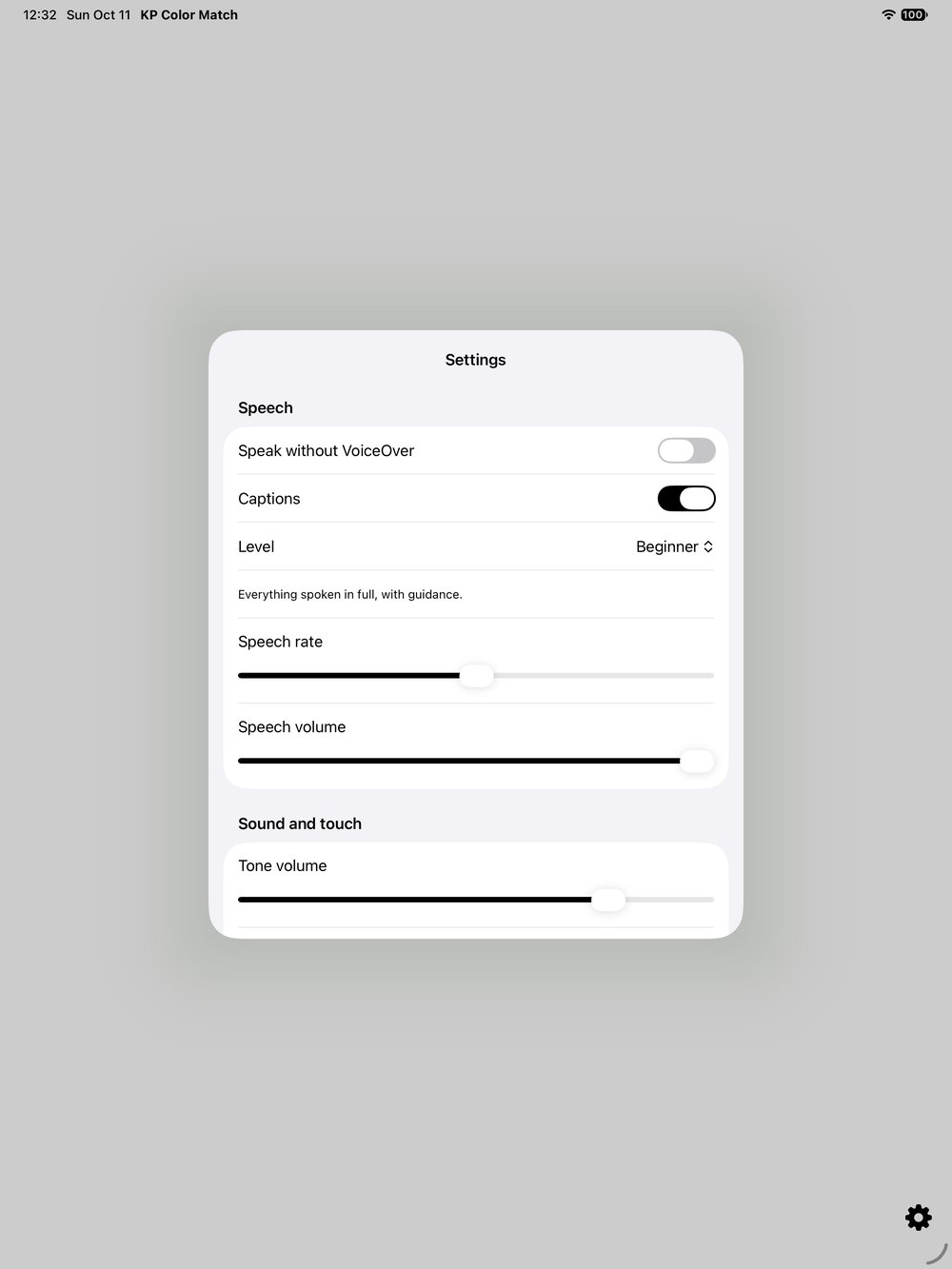
Settings on iPad, in a card over a grey screen: Speak without VoiceOver off, Captions on, Level Beginner, and sliders for speech rate, speech volume and tone volume., open full size
Fig. 11 On iPad: Settings.
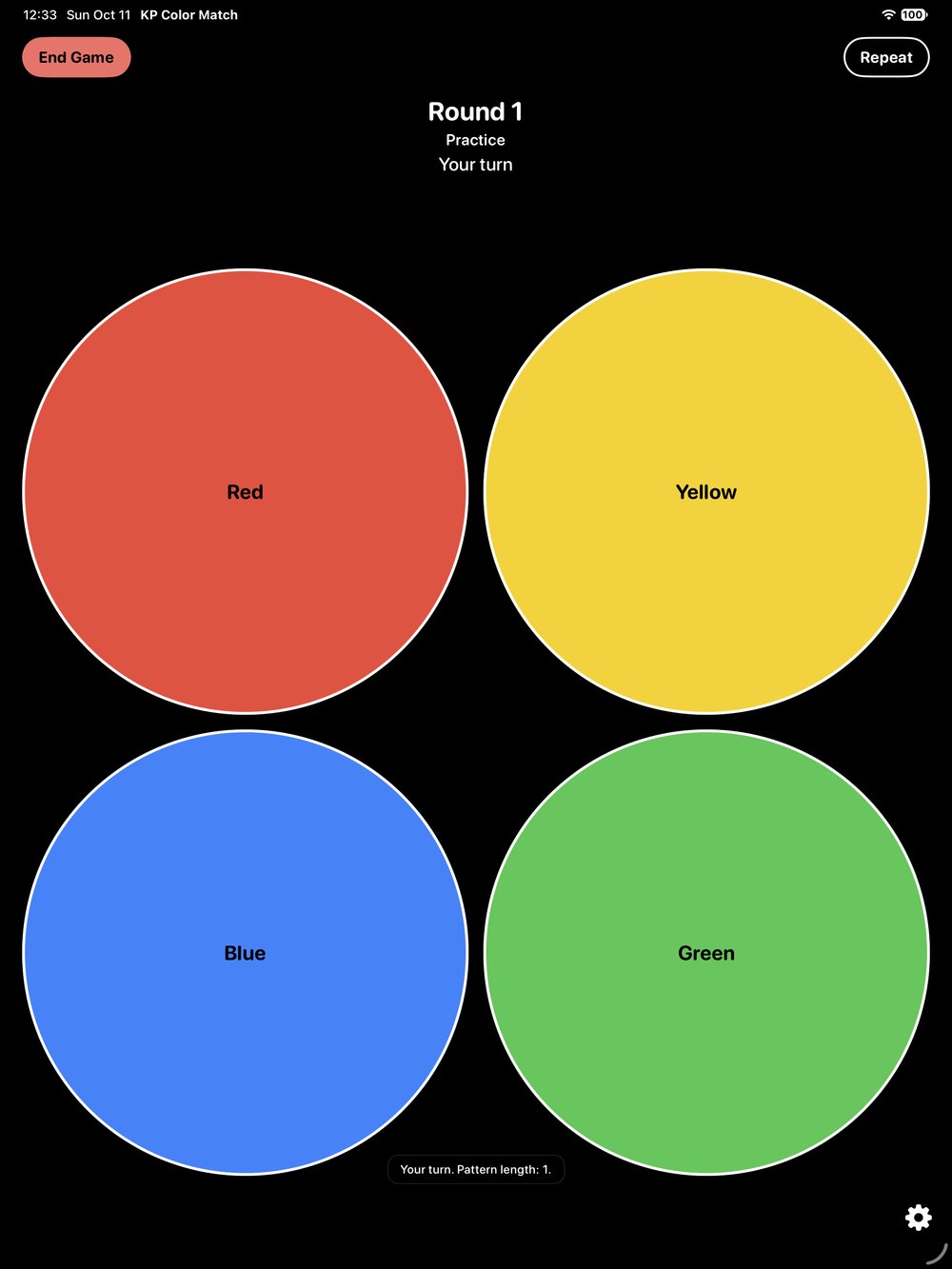
Practice mode in Dark Mode on iPad: round 1, Practice, your turn, and the four circles outlined in white on black, red top left, yellow top right, blue bottom left, green bottom right., open full size
Fig. 12 On iPad: Practice mode, in Dark Mode.

About KP Color Match

KP Color Match is the classic four-color memory game, rebuilt to be played by ear.

Four colors play a pattern. You tap it back. Each round adds one more color, and every seven rounds in a row the game gets a little faster.

Every color has its own tone and its own place in stereo. Every step is spoken in a recorded voice, shown as a caption and felt as a haptic tap. Version 4.0, the rebuilt game, is coming soon; the App Store link goes to the current version.

No account. No ads. No tracking. Works offline.

What is inside

Play it by ear.

  • Every color has its own tone.
  • With headphones, each color also has its own side: red and blue on the left, yellow and green on the right.
  • Every step is spoken in a recorded voice, in twelve languages, captioned and felt as a haptic tap.

Learn it by playing.

  • A two-minute interactive tour teaches the game by playing it.
  • Practice mode has no score and no game over. A wrong tap tells you the right color.
  • Every seven rounds in a row, it gets a little faster.

Your game, your way.

  • Settings for game speed, speech, tones, music and haptics.
  • Captions and Dark Mode.
  • Your three best scores stay on your device.

Accessibility, in detail

What the app actually does today, from its own code and documents. The honest notes are the parts still being finished.

Hearing the game.

  • Each color has its own tone and, with headphones, its own stereo position.
  • Every step is spoken in a recorded voice, in twelve languages.
  • Every spoken line is also shown as a caption.
  • Every step has a haptic tap, with a strength setting.

Screen readers and touch.

  • Full VoiceOver support.
  • An optional direct-touch board, so you can tap the colors straight away while VoiceOver is on.
  • The game can also speak for itself without VoiceOver; switch Speak without VoiceOver on in Settings or in the tour.

Learning and practice.

  • A two-minute interactive tour, which you can skip, with a written guide as well.
  • Practice mode: no score, no game over, and a wrong tap tells you the right color.

Honest notes.

  • Version 4.0 is not in the App Store yet; the current listing is the earlier version.
  • Support for larger text sizes, Voice Control and Reduce Motion has not been verified yet, so we do not claim it.

Details

Price
Free.
Requires
iOS 17 or later.
Devices
iPhone and iPad.
Languages
Twelve.
Data collected
None. Works offline.
Status
Version 4.0 coming soon.
Support
[email protected]

Listen, then play it back.

Display and sound

Saved only in this browser. Nothing is sent anywhere.

Makes all text larger or smaller.
100 percent
Brighter secondary text and borders.
Stops animation and smooth scrolling.
This page speaks its announcements aloud. Turn it off if you use a screen reader.
Used when self-voicing is on.
Shows spoken announcements as text at the bottom of the screen.
Page summary

Press Control to silence speech. Press R to hear the last announcement again.